Best Tesla Features Every New Owner Should Know
Buying a Tesla can feel like stepping into a different kind of driving experience. Instead of searching for dozens of physical buttons, you interact with a large touchscreen, a smartphone app, voice commands, and software that can evolve after you purchase the vehicle.
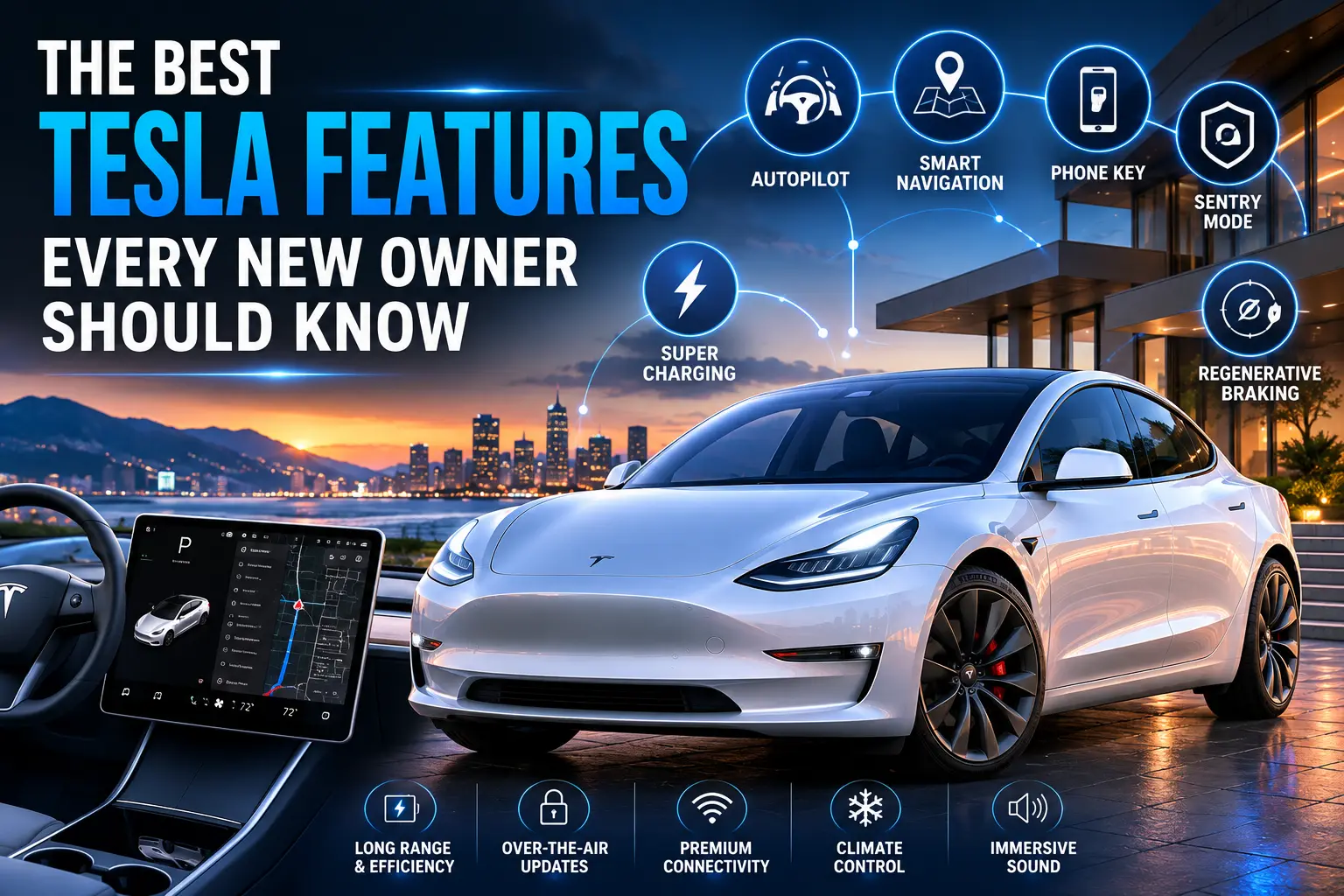
The best Tesla features aren’t necessarily the ones that impress you during your first test drive. Some become valuable only after you’ve owned the car for a few days. From remote climate control and Supercharger navigation to Sentry Mode and regenerative braking, these tools can make your daily driving easier and more convenient.
If you’re a new Tesla owner, learning the most useful features early can help you get much more from your vehicle.
What Makes Tesla Features Different?
Tesla takes a software-centered approach to vehicle design. Many functions that would traditionally require physical controls, a dealership visit, or a separate device can be managed digitally.
Depending on your model, software version, and market, you may have access to features such as:
- Smartphone-based vehicle controls
- Over-the-air software updates
- Touchscreen controls
- Driver profiles
- Remote climate control
- Charging management
- Advanced driver assistance
- Camera-based security features
Keep in mind that not every Tesla has exactly the same features. Hardware, model year, configuration, region, and software version can all affect availability.
Best Tesla Features for Everyday Convenience
Tesla Mobile App
The Tesla mobile app is one of the first features you should learn.
From your phone, compatible Tesla models can allow you to perform several useful functions without physically sitting inside the vehicle.
You can potentially:
- Check battery status
- Monitor charging
- Lock or unlock the vehicle
- Control the climate
- Locate your Tesla
- Start or stop charging
- Check certain vehicle information
For example, if your Tesla is parked outside on a hot day, you can start cooling the cabin before you walk outside.
Phone Key
Another convenient feature is the ability to use a compatible smartphone as a key.
Once properly configured, your phone can allow keyless access to your vehicle. Tesla also provides key cards as an alternative, which is useful if your phone battery is dead or you simply want a physical backup.
Best Tesla Features for Charging
Charging becomes part of your routine when you own an electric vehicle, so understanding Tesla’s charging tools is essential.
Supercharger Navigation
Tesla integrates charging into its navigation system.
When you enter a long-distance destination, the vehicle can calculate a route that includes charging stops. Depending on your Tesla and software, you can see information related to estimated battery levels and charging locations.
This can make road trips much less stressful because you don’t have to manually search for every charging station.
How to Plan Your First Tesla Road Trip
Before setting off:
- Enter your destination into navigation.
- Review the suggested charging stops.
- Check the estimated battery level at each stop.
- Allow extra range for weather and traffic.
- Confirm that your planned chargers are suitable for your vehicle.
- Give yourself enough time for charging.
Your real-world range can differ from the displayed estimate, particularly with high speeds, cold temperatures, heavy loads, or frequent climate-control use.
Scheduled Charging
Scheduled charging can help you decide when your Tesla begins charging.
If your electricity provider offers different rates during the day, you may be able to organize charging around those periods.
You can also use charging and departure settings to prepare the vehicle for your regular routine.
Best Tesla Features for Comfort
Remote Climate Control
One of the most practical Tesla features is remote climate control.
Instead of entering a hot or cold vehicle and waiting for the cabin to reach a comfortable temperature, you can use the app to prepare it beforehand.
This is particularly useful when:
- Your Tesla sits outside during summer.
- Temperatures are very low.
- You’re traveling with passengers.
- You want the cabin comfortable before leaving.
Depending on your model, additional comfort functions such as heated seats or steering-wheel heating may also be available.
Dog Mode
If your Tesla supports Dog Mode, the feature can maintain a suitable cabin climate while displaying information on the vehicle’s screen intended to reassure passersby that the climate system is operating.
However, you should never treat Dog Mode as a replacement for responsible supervision. Conditions can change quickly, and animals should not be left in potentially dangerous circumstances.
Camp Mode
Camp Mode is designed for situations where you want to remain inside your parked Tesla while maintaining climate control.
It can be useful for:
- Camping
- Road trips
- Rest stops
- Outdoor activities
Always follow local rules and use good judgment when remaining in a vehicle overnight.
Best Tesla Features for Security
Sentry Mode
Sentry Mode is one of the most talked-about Tesla features.
On supported vehicles, it can use the vehicle’s cameras to monitor activity around the car when it’s parked.
Depending on the configuration, recordings can help you review what happened around your Tesla.
Before relying on Sentry Mode, learn:
- How recording is activated
- Where footage is stored
- Storage requirements
- How to save important clips
- What areas the cameras can and cannot see
You should also consider local privacy and recording laws.
Dashcam
Tesla’s available Dashcam functionality can record footage from the vehicle’s cameras.
This can be useful if you want a record of an incident on the road.
Make sure you understand your vehicle’s storage requirements and recording limitations. Camera functionality varies between Tesla models and hardware generations.
Best Tesla Features for Driver Assistance
Autopilot
Tesla’s driver-assistance features can make certain driving situations less demanding.
Depending on your Tesla and market, available functions may include:
- Traffic-aware cruise control
- Steering assistance
- Collision warnings
- Automatic emergency braking
- Lane-related assistance
These technologies are driver assistance systems, not a replacement for your attention.
Understanding Driver Assistance
When using these features, you should:
- Monitor traffic continuously.
- Stay prepared to intervene.
- Understand the system’s limitations.
- Follow Tesla’s instructions.
- Obey local traffic laws.
Don’t assume that a vehicle can handle every road, weather condition, or unusual situation automatically.
Full Self-Driving Capability
Tesla also offers Full Self-Driving-related features in certain markets and configurations.
Despite the name, you should not interpret this as permission to stop paying attention. Availability and functionality can change, and the system requires appropriate driver supervision.
Always check the current Tesla documentation for your specific vehicle.
Best Tesla Features for Software and Entertainment
Over-the-Air Updates
One of Tesla’s defining characteristics is its use of over-the-air software updates.
Your Tesla can receive software improvements without requiring you to visit a dealership for every update.
Updates may change:
- Vehicle functions
- User-interface elements
- Entertainment features
- Navigation
- Performance-related behavior
- Security and stability
This means your Tesla’s software experience can evolve during ownership.
Entertainment Features
Depending on your model and region, Tesla vehicles can provide access to entertainment functions such as music, streaming services, games, and web-based features.
Many entertainment functions are intended to be used while parked, so always follow the vehicle’s instructions.
Best Tesla Features for Personalization
Driver Profiles
If multiple people drive your Tesla, driver profiles can save considerable time.
Depending on your vehicle, profiles can remember settings related to:
- Seat position
- Mirrors
- Steering-wheel position
- Climate preferences
- Other personalized vehicle settings
Instead of adjusting everything manually, you can select your profile and let the vehicle restore your preferred configuration.
Best Tesla Features for Efficiency
Regenerative Braking
Regenerative braking allows the vehicle to recover some energy during deceleration and return it to the battery.
Once you become comfortable with it, you may find that you can control much of your speed simply by adjusting pressure on the accelerator.
However, take time to learn the behavior gradually, particularly if you’re coming from a conventional gasoline vehicle.
Energy Consumption Information
Your Tesla provides information that can help you understand how efficiently you’re driving.
Factors affecting energy use include:
- Speed
- Acceleration
- Temperature
- Heating and air conditioning
- Tire pressure
- Terrain
- Wind
- Vehicle load
Learning these patterns can help you make better decisions when planning longer journeys.
Best Tesla Features New Owners Often Overlook
Once you’ve mastered the basics, explore some of the less obvious functions available on your vehicle.
Consider learning:
- Voice commands
- Scheduled charging
- Charging limits
- Automatic locking
- Remote climate control
- Sentry Mode
- Dashcam
- Driver profiles
- Energy-consumption displays
- Cabin overheat protection where available
The exact menu locations and functionality can change with software updates, so your owner’s manual remains an important reference.
Tesla Features Comparison
| Feature | Main Benefit | Best Use |
|---|---|---|
| Tesla App | Remote vehicle control | Everyday convenience |
| Phone Key | Keyless access | Daily driving |
| Supercharger Navigation | Simplifies charging stops | Road trips |
| Scheduled Charging | Better charging management | Home charging |
| Sentry Mode | Parked-vehicle monitoring | Security |
| Dashcam | Records camera footage | Driving incidents |
| Dog Mode | Climate management | Pet-related situations |
| Camp Mode | Climate while parked | Camping |
| Driver Profiles | Saves personal settings | Multiple drivers |
| Regenerative Braking | Recovers energy | Efficient driving |
| Software Updates | Adds/improves functions | Long-term ownership |
How to Get the Most From Your Tesla
If you’re a new owner, don’t try to learn every feature on the first day.
Follow this simple order:
- Set up the Tesla app.
- Configure your phone key.
- Learn the touchscreen.
- Understand charging.
- Create your driver profile.
- Practice regenerative braking.
- Explore climate controls.
- Learn Sentry Mode and Dashcam.
- Understand driver-assistance limitations.
- Keep up with software updates.
This approach lets you build confidence without becoming overwhelmed.
FAQ: Best Tesla Features
What are the best Tesla features for new owners?
The Tesla app, phone key, Supercharger navigation, remote climate control, driver profiles, Sentry Mode, regenerative braking, and over-the-air updates are among the most useful features to learn first.
What Tesla features should you learn first?
Start with basic vehicle controls, charging, the Tesla app, phone key, climate settings, and driver profiles. Once you’re comfortable, explore security and driver-assistance functions.
Does every Tesla have the same features?
No. Features vary depending on the Tesla model, model year, hardware, software version, optional equipment, and country.
Is Sentry Mode one of the best Tesla features?
For many owners, yes. It can provide additional monitoring around a parked vehicle on supported models. However, you should understand its limitations and local privacy requirements.
What are the best Tesla features for road trips?
Supercharger navigation, charging management, battery estimates, route planning, climate controls, and available driver-assistance features can all be useful during long journeys.
Can Tesla features change after you buy the car?
Yes. Tesla frequently uses over-the-air software updates to modify or improve vehicle functions. The features available to you can therefore change over time.
Conclusion: Make Your Tesla Work for You
The best Tesla features aren’t just flashy pieces of technology. Many are designed to make your everyday life easier.
The Tesla app can give you remote control from your phone. Supercharger navigation can simplify road trips. Remote climate control can make extreme temperatures more comfortable. Sentry Mode can add another layer of vehicle monitoring, while driver profiles and regenerative braking can make everyday driving more personalized.
Your Tesla may have far more capabilities than you’ll discover during your first few drives. Take time to explore them safely, read the documentation for your specific model, and learn one feature at a time.
Which Tesla feature has made the biggest difference for you? Share your favorite feature—or the one you wish you had discovered sooner—and let other new Tesla owners know about it.